---
title: "Steps to Take Before You Accidentally Lose Your Phone - Telesys Voice and Data Blog"
description: "Preventative measures to take to prevent losing your phone and all of your data if you ever misplace your mobile device."
url: "https://mail.dfwphones.com/blog/steps-to-take-before-you-accidentally-lose-your-phone"
date: "2026-06-05T23:55:24+00:00"
language: "en-GB"
---
## Telesys Voice and Data Blog
Telesys Voice and Data has been serving the Dallas/Fort Worth area since 1994, providing IT Support such as technical helpdesk support, computer support, and consulting to small and medium-sized businesses.
[ Categories ](https://mail.dfwphones.com/blog/categories "Categories")
[ Tags ](https://mail.dfwphones.com/blog/tags "Tags")
[ Categories: All Categories ](https://mail.dfwphones.com/javascript:void(0); "Categories")
Search...Suggested keywords
[ x ](https://mail.dfwphones.com/javascript:void(0);)
# Steps to Take Before You Accidentally Lose Your Phone
[Telesys Voice and Data Blog](https://mail.dfwphones.com/blog/categories/blog) [Tip of the Week](https://mail.dfwphones.com/blog/categories/tip-of-the-week)
[Telesys Voice Data Solutions](https://mail.dfwphones.com/blog/blogger/telesys-admin)
Monday, 04 January 2021
[ 0 Comments ](https://mail.dfwphones.com/blog/steps-to-take-before-you-accidentally-lose-your-phone#comments)
[  ](//mail.dfwphones.com/images/easyblog_shared/January_2021/1-4-21/241223724_lost_phone_400.jpg "Steps to Take Before You Accidentally Lose Your Phone")
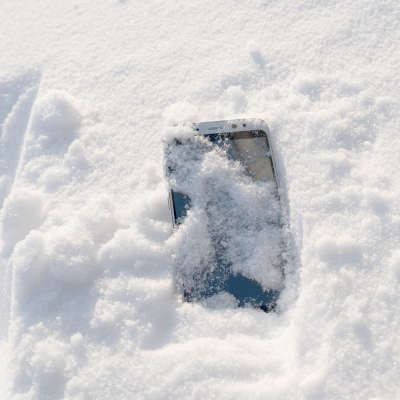
Nobody intends to lose their smartphone. For some of us, our mobile device is glued to our hands for a good portion of the day—it’s hard to imagine simply leaving it somewhere, right?
Mistakes happen. It doesn’t take more than a few minutes to set your smartphone up so you can track it down easily if you lose it.
The steps are going to be a little different depending on if you have Android or an iPhone.
## Prevent Your iPhone from Being Lost Forever with Apple’s Find My iPhone
Enable Apple’s **Find My iPhone**.
Apple has a built-in service that is a part of iCloud that will allow you to track the location of your lost iPhone in case you accidentally lose it. This is ideal for when it slips out of your pocket in a taxi or you accidentally leave it in the booth at a restaurant. Technically, it could be useful if your iPhone was stolen, but it’s advised that you report a stolen iPhone to the police instead of trying to steal it back yourself.
Another great feature that Find My iPhone has is the ability to delete all of the data on the device so nobody can use it to steal your identity, break into your online accounts, or otherwise do what they want with your data.
Usually these features aren’t enabled by default—it’s something you need to turn on.
On your iPhone (it also works on iPads):
Open the **Settings** app.
Tap on **iCloud**
Set the **Find My iPhone** (or Find My iPad) slider to **On**.
If you haven’t already set up an iCloud account on that particular device, you’ll be walked through the steps to do so. Make sure you use a strong, secure password that you aren’t using anywhere else for your iCloud account, or else someone could potentially lock or wipe your device on you, and track your location.
You’ll then be able to log into the iCloud website and track the location of your iPhone, provided that your iPhone is on and not in Airplane mode.
Beyond that, you’ll also want to set up Touch ID or Face ID, and make sure you are always using strong passwords. Touch ID and Face ID options are presented to you when you first set up your new iPhone, but you can also find them in the **Settings** app. Just look for **Touch ID & Passcode**.
## Track Down Your Lost Android Phone with Google’s Find My Device App
Android phones have a feature that is similar to Apple’s Find My iPhone. It’s called **Google Find My Device**. Just like Apple, it’s not typically set up by default.
To get started, open the **Google Play Store** and search for **Google Find My Device**. Install the application ([you can also use this link to get there](https://play.google.com/store/apps/details?id=com.google.android.apps.adm&hl=en_GB&gl=US)).
Once installed, **open** the **Google Find My Device** application.
The app will ask you what account you want to log in as, typically you’ll want to use the same Google account you use for everything else on your phone. Make sure your Google account password is strong and unique.
Be sure to **Allow Find My Device to access this device’s location** when you are prompted.
As long as your phone is on, and its Wi-Fi and GPS is enabled, Find My Device will be able to track your phone for you.
You can sign into [Google’s Find My Device site](https://www.google.com/android/find) to manage and track your devices.
Of course, make sure your password for your Google account is strong, secure, and unique. Otherwise, anyone could gain access and track your location or wipe your devices.
We hope you never have to use this feature, but it never hurts to have it set up. Most smartphones are pretty expensive, and the amount of data on them and access to all of your personal information makes them practically priceless.
For more information pertaining to your device security and other IT best practices, make sure you return to our blog!
[ ](https://mail.dfwphones.com/javascript:void(0);) [ ](https://mail.dfwphones.com/javascript:void(0);) [ ](https://mail.dfwphones.com/javascript:void(0);)
Tags:
[Android](https://mail.dfwphones.com/blog/tags/android) [Smartphone](https://mail.dfwphones.com/blog/tags/smartphone) [Tip of the Week](https://mail.dfwphones.com/blog/tags/tip-of-the-week) [Mobile Device](https://mail.dfwphones.com/blog/tags/mobile-device)
[ The Cloud Continues Massive Growth ](https://mail.dfwphones.com/blog/the-cloud-continues-massive-growth)
[ Let’s Take a Look at Some Popular Internet Scams ](https://mail.dfwphones.com/newsletter-content/let-s-take-a-look-at-some-popular-internet-scams)
About the author
[  ](https://mail.dfwphones.com/blog/blogger/telesys-admin)
[Telesys Voice Data Solutions](https://mail.dfwphones.com/blog/blogger/telesys-admin)
[ ](https://mail.dfwphones.com/blog/blogger/telesys-admin)
Author's recent posts
[More posts from author](https://mail.dfwphones.com/blog/blogger/telesys-admin)
[ Tuesday, 30 June 2026 Stop Managing Metal, Start Managing People: A Guide to Hybrid IT ](https://mail.dfwphones.com/newsletter-content/stop-managing-metal-start-managing-people-a-guide-to-hybrid-it)
[ Saturday, 27 June 2026 Free AI is Not Free: Why Public Tools Are a Security Risk ](https://mail.dfwphones.com/newsletter-content/free-ai-is-not-free-why-public-tools-are-a-security-risk)
[ Thursday, 25 June 2026 Phishing is Getting Sophisticated: The New Threats Businesses Face ](https://mail.dfwphones.com/newsletter-content/phishing-is-getting-sophisticated-the-new-threats-businesses-face)
Comments
No comments made yet. Be the first to submit a comment
**** Already Registered? [Login Here](https://mail.dfwphones.com/home/login-logout?return=aHR0cHM6Ly9tYWlsLmRmd3Bob25lcy5jb20vYmxvZy9zdGVwcy10by10YWtlLWJlZm9yZS15b3UtYWNjaWRlbnRhbGx5LWxvc2UteW91ci1waG9uZQ==)
Friday, 05 June 2026
Subscribe to the blog (Please fill in your email address to subscribe to updates from this post.)
**Captcha Image**
## Schema
```json
{
"@context": "https://schema.org",
"@type": "BreadcrumbList",
"itemListElement": [
{
"@type": "ListItem",
"position": 1,
"name": "Home",
"item": "https://mail.dfwphones.com"
},
{
"@type": "ListItem",
"position": 2,
"name": "Blog & News",
"item": "https://mail.dfwphones.com/blog"
},
{
"@type": "ListItem",
"position": 3,
"name": "Telesys Voice Data Solutions",
"item": "https://mail.dfwphones.com/blog/blogger/telesys-admin"
},
{
"@type": "ListItem",
"position": 4,
"name": "Steps to Take Before You Accidentally Lose Your Phone",
"item": "https://mail.dfwphones.com/blog/steps-to-take-before-you-accidentally-lose-your-phone"
}
]
}
```