---
title: "Tip of the Week: Making the Most of Google Keep - Telesys Voice and Data Blog"
description: "Google Keep can prove to be a handy tool for both your personal and professional life. We’ve gone over some tips to help you use it optimally."
url: "https://mail.dfwphones.com/blog/tip-of-the-week-making-the-most-of-google-keep"
date: "2026-06-05T23:55:55+00:00"
language: "en-GB"
---
## Telesys Voice and Data Blog
Telesys Voice and Data has been serving the Dallas/Fort Worth area since 1994, providing IT Support such as technical helpdesk support, computer support, and consulting to small and medium-sized businesses.
[ Categories ](https://mail.dfwphones.com/blog/categories "Categories")
[ Tags ](https://mail.dfwphones.com/blog/tags "Tags")
[ Categories: All Categories ](https://mail.dfwphones.com/javascript:void(0); "Categories")
Search...Suggested keywords
[ x ](https://mail.dfwphones.com/javascript:void(0);)
# Tip of the Week: Making the Most of Google Keep
[Telesys Voice and Data Blog](https://mail.dfwphones.com/blog/categories/blog) [Tip of the Week](https://mail.dfwphones.com/blog/categories/tip-of-the-week)
[Telesys Voice Data Solutions](https://mail.dfwphones.com/blog/blogger/telesys-admin)
Wednesday, 11 November 2020
[ 0 Comments ](https://mail.dfwphones.com/blog/tip-of-the-week-making-the-most-of-google-keep#comments)
[  ](//mail.dfwphones.com/images/easyblog_shared/November_2020/11-11-20/336283032_checklist_google_400.jpg "Tip of the Week: Making the Most of Google Keep")
The Android platform has various tools and applications available to assist users in keeping themselves organized and productive. One of these applications, Google Keep, offers particularly significant benefits. For this week’s tip, we’ll be going over some ways that you can use Google Keep to help “keep” track of the cornucopia of important information you need to process and retain.
## Labels
Rather than categorizing notes into folders or notebooks, Keep is organized by labels—much like the rest of Google’s tools are. Labels make it easier to find everything you’ve saved regarding a specific topic. Fortunately, they are also simple to manage.
Adding a new label to a note is just a matter of selecting the **Labels** option from the menu in the bottom-right corner of the editing screen. You can also add labels by holding down on your note in the main list and tapping the label icon at the top right-hand corner of your display, or by including a hashtag at the beginning of your note (for example, #OrganizationTools).
This allows you to review your notes based on the labels you’ve added by tapping into the app’s hamburger menu in the upper left-hand corner and selecting the label you want to go through.
## Reminders
Setting—and later, checking in on—reminders for different tasks and appointments is a very simple utility that Keep enables you to accomplish.
Let’s say that you needed to run to the bank during your lunch break or some other errand. If your lunch was scheduled to start at 12:30, Keep can push you a notification at 12:27. If you needed to take care of something the moment you arrived at the office, you could have Google Keep alert you as soon as you were on the premises. Setting this up is simple enough—as you’re typing up your reminder, these settings are available by pressing the **icon that looks like a finger with a string tied around it**.
Using Keep, you can also review the reminders you’ve set by accessing the **hamburger menu** and selecting **Reminders**.
## Checklists
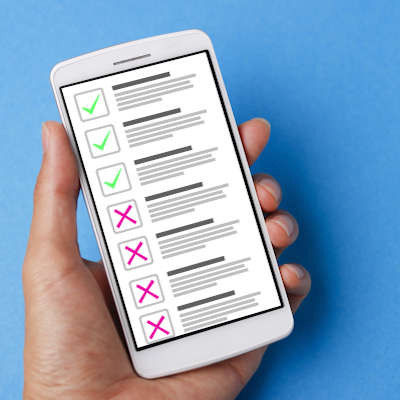
Of course, many of the things you would want to remind yourself to do could involve several steps. In these cases, Keep’s checklist feature could prove to be handy. Not only can you generate a simple list by tapping the appropriate icon in the action bar, you can also take a note you’ve already created and—by tapping **Checkboxes** in the plus-sign icon menu—create a quick and easy checklist.
## Collaboration
The notes you create in Keep can also be shared with other people so that everyone involved can contribute, whether you’re coming up with business strategies or figuring out the family’s shopping list. After accessing the note to be shared, tap the **lower-right menu icon** and select Collaborator. You can then send the note to one of your Gmail contacts to invite them to edit and utilize your note. Any changes they make will be reflected whenever you access the tool.
Does Keep sound like the right solution for you? What other tools have you found helpful, in terms of organization and collaboration? Leave your own suggestions in the comments!
[ ](https://mail.dfwphones.com/javascript:void(0);) [ ](https://mail.dfwphones.com/javascript:void(0);) [ ](https://mail.dfwphones.com/javascript:void(0);)
Tags:
[Google](https://mail.dfwphones.com/blog/tags/google) [Efficiency](https://mail.dfwphones.com/blog/tags/efficiency) [Tip of the Week](https://mail.dfwphones.com/blog/tags/tip-of-the-week)
[ Is Automation Really a Threat for Workers? ](https://mail.dfwphones.com/newsletter-content/is-automation-really-a-threat-for-workers)
[ Tip of the Week: Activating Android Guest Mode ](https://mail.dfwphones.com/blog/tip-of-the-week-activating-android-guest-mode)
About the author
[  ](https://mail.dfwphones.com/blog/blogger/telesys-admin)
[Telesys Voice Data Solutions](https://mail.dfwphones.com/blog/blogger/telesys-admin)
[ ](https://mail.dfwphones.com/blog/blogger/telesys-admin)
Author's recent posts
[More posts from author](https://mail.dfwphones.com/blog/blogger/telesys-admin)
[ Tuesday, 30 June 2026 Stop Managing Metal, Start Managing People: A Guide to Hybrid IT ](https://mail.dfwphones.com/newsletter-content/stop-managing-metal-start-managing-people-a-guide-to-hybrid-it)
[ Saturday, 27 June 2026 Free AI is Not Free: Why Public Tools Are a Security Risk ](https://mail.dfwphones.com/newsletter-content/free-ai-is-not-free-why-public-tools-are-a-security-risk)
[ Thursday, 25 June 2026 Phishing is Getting Sophisticated: The New Threats Businesses Face ](https://mail.dfwphones.com/newsletter-content/phishing-is-getting-sophisticated-the-new-threats-businesses-face)
Comments
No comments made yet. Be the first to submit a comment
**** Already Registered? [Login Here](https://mail.dfwphones.com/home/login-logout?return=aHR0cHM6Ly9tYWlsLmRmd3Bob25lcy5jb20vYmxvZy90aXAtb2YtdGhlLXdlZWstbWFraW5nLXRoZS1tb3N0LW9mLWdvb2dsZS1rZWVw)
Friday, 05 June 2026
Subscribe to the blog (Please fill in your email address to subscribe to updates from this post.)
**Captcha Image**
## Schema
```json
{
"@context": "https://schema.org",
"@type": "BreadcrumbList",
"itemListElement": [
{
"@type": "ListItem",
"position": 1,
"name": "Home",
"item": "https://mail.dfwphones.com"
},
{
"@type": "ListItem",
"position": 2,
"name": "Blog & News",
"item": "https://mail.dfwphones.com/blog"
},
{
"@type": "ListItem",
"position": 3,
"name": "Telesys Voice Data Solutions",
"item": "https://mail.dfwphones.com/blog/blogger/telesys-admin"
},
{
"@type": "ListItem",
"position": 4,
"name": "Tip of the Week: Making the Most of Google Keep",
"item": "https://mail.dfwphones.com/blog/tip-of-the-week-making-the-most-of-google-keep"
}
]
}
```